← Support
History & Stats
Edit or delete an entry
Logged the wrong time or the wrong type? Every entry can be changed or removed.
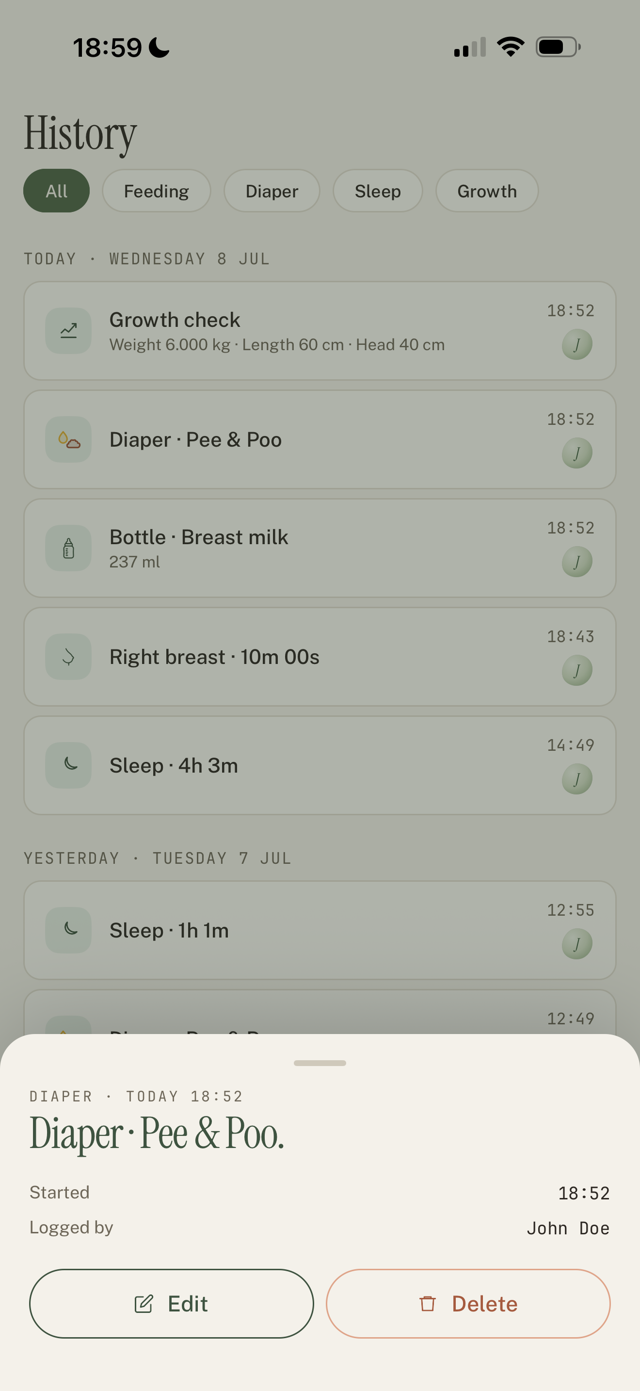
Edit an entry
- Open the History tab.
- Tap the entry you want to fix.
- Change the type, time, amount, or note, then save.
Delete an entry
- In History, open the entry.
- Choose Delete. This can't be undone.
Undo a fresh log
Right after you log something, a short Undo appears. Tap it to remove what you just added, no trip to History needed.
Still have a question?
We're a small team and we read everything. Email us and we'll get back to you.