← Support
Tracking
Log a measurement
Record your baby's weight, length, and head circumference to see growth plotted against WHO standards.
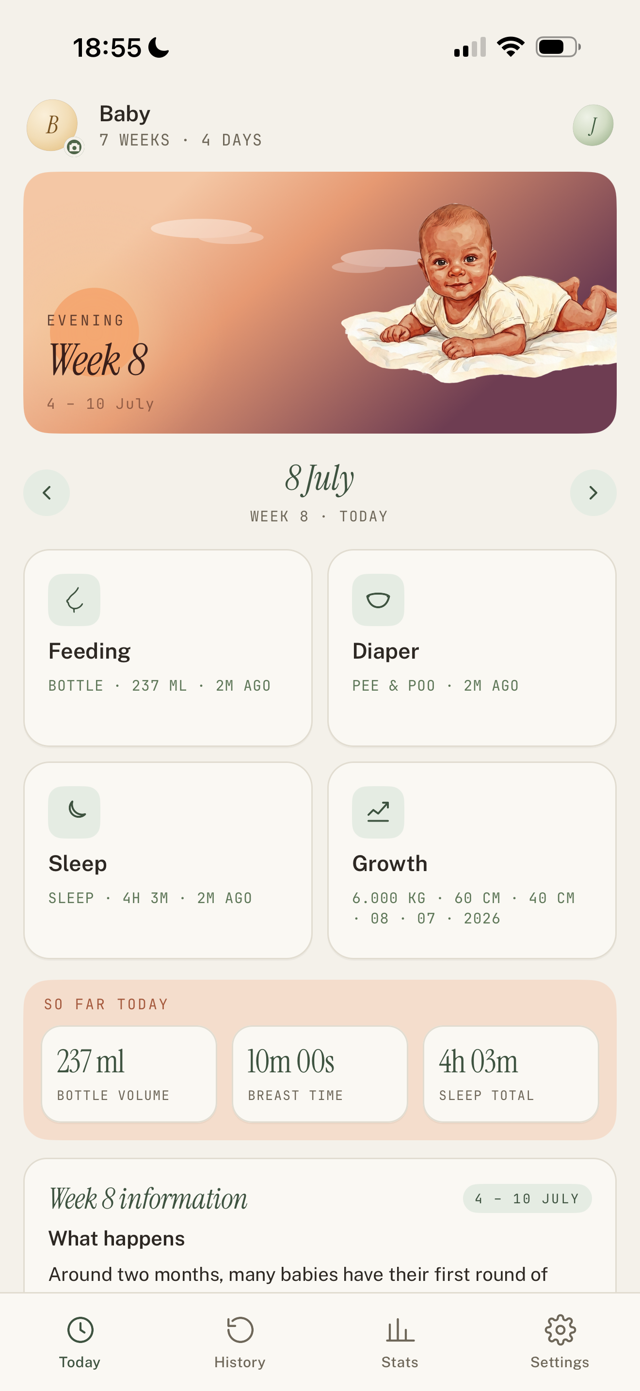
Add a measurement
- Open Growth (from Today, or the Growth screen).
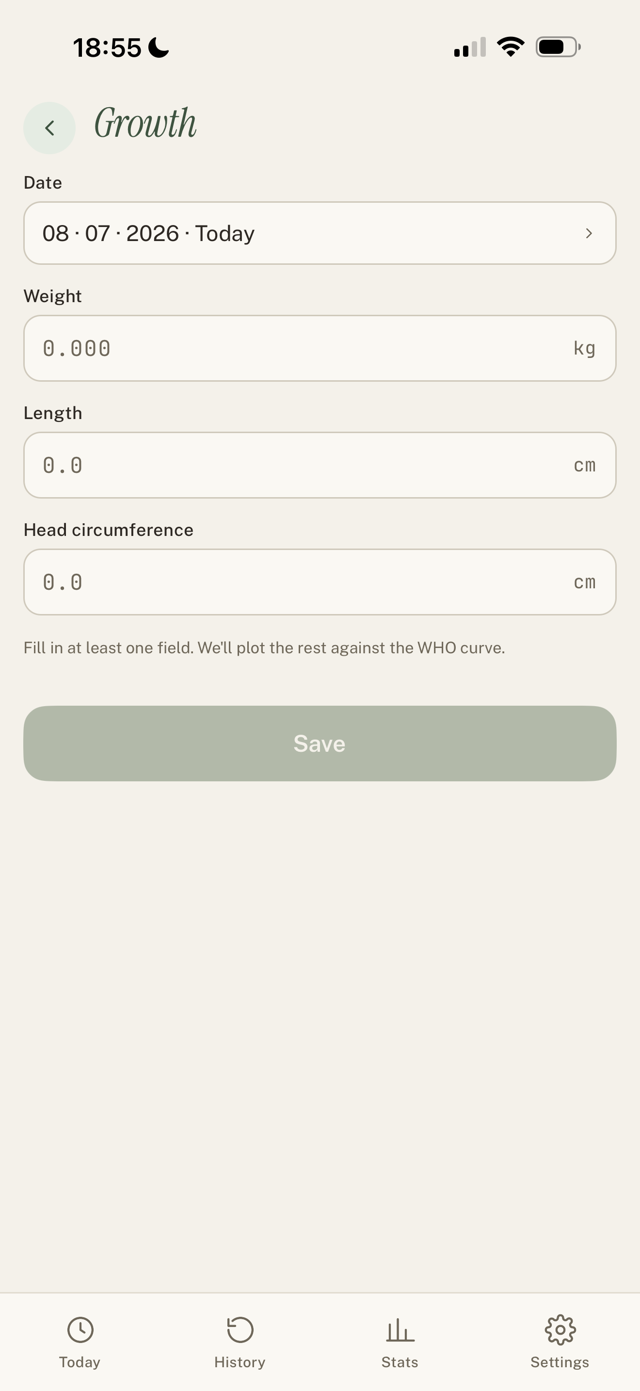
- Set the Date.
- Enter any of Weight (kg), Length (cm), or Head circumference (cm). You can log just one, you do not need all three.
- Save.
See the growth curve
Your measurements appear in Stats > Growth, plotted against WHO percentiles. You can export the charts to your photos to share with a doctor.
Good to know
- Prefer pounds and inches? Switch in Settings > Units. Existing values are not converted, so pick your units early.
- Percentiles are general information, not medical advice.
Still have a question?
We're a small team and we read everything. Email us and we'll get back to you.