Apple Watch
Log from your wrist
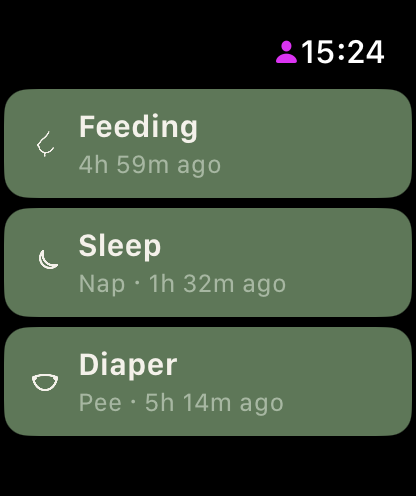
The watch app home shows three tiles: Feeding, Sleep and Diaper, each with the most recent entry underneath, like "Nap · 1h 32m ago". Everything below is one or two taps.
Time a feed
- Tap Feeding.
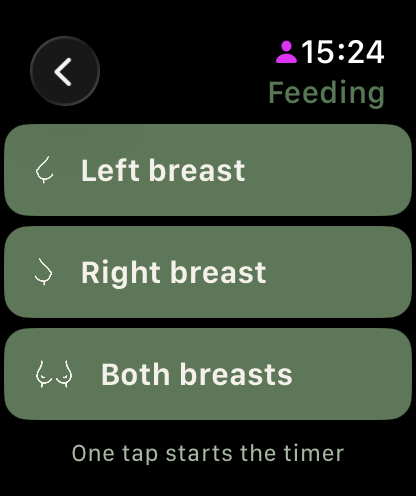
- Tap Left breast, Right breast or Both breasts. That tap starts the timer, there is no extra start button.
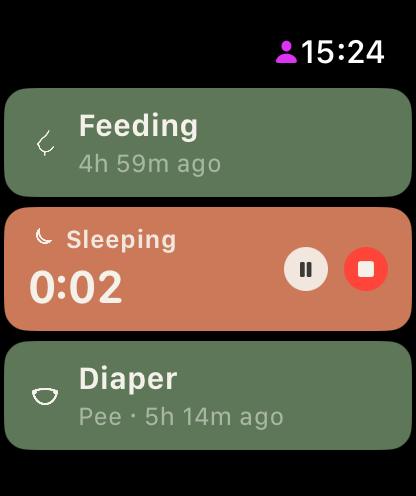
- The tile turns into a running timer with pause and stop. Tap stop when the feed ends; the entry saves with start, end and duration.
Bottle, pump and solids stay on the phone, where amounts are quicker to enter.
Time a sleep
Tap Sleep once. The timer starts immediately, day or night. Pause and stop work the same as feeding. Starting the sleep timer from your wrist at night also tells Little Bean your baby is asleep, so smart reminders stay quiet.
Log a diaper
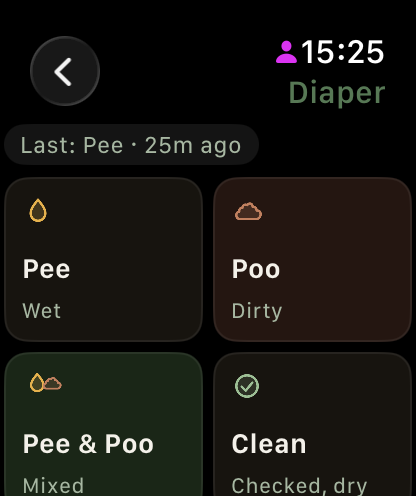
Tap Diaper, then one of four options: Pee, Poo, Pee & Poo or Clean. One tap logs it and returns you home. The last diaper shows at the top so you don't double-log.
Made a mistake?
Every log shows a brief Undo toast. Tap it and the entry is gone, on the watch, your phone and every caregiver's device.
Good to know
- One live timer runs at a time, on the watch and phone alike.
- The watch controls timers you started; a timer your partner is running shows on their devices, not as buttons on your wrist.
- Everything logged on the watch syncs to your phone and all caregivers like any other entry.
- The watch app is included in every Little Bean plan and during the free trial. Without an active trial or subscription the tiles show a lock, and subscribing happens on your iPhone. Not on your watch yet? See the install guide at /support-apple-watch.
Still have a question?
We're a small team and we read everything. Email us and we'll get back to you.